

This guide is for UAE owners of China-market BYD, Denza and Fang Cheng Bao / Leopard vehicles. First confirm the exact model, model year and market from the VIN and documents; similar badges do not prove the same app, software or support path. See the naming guide.
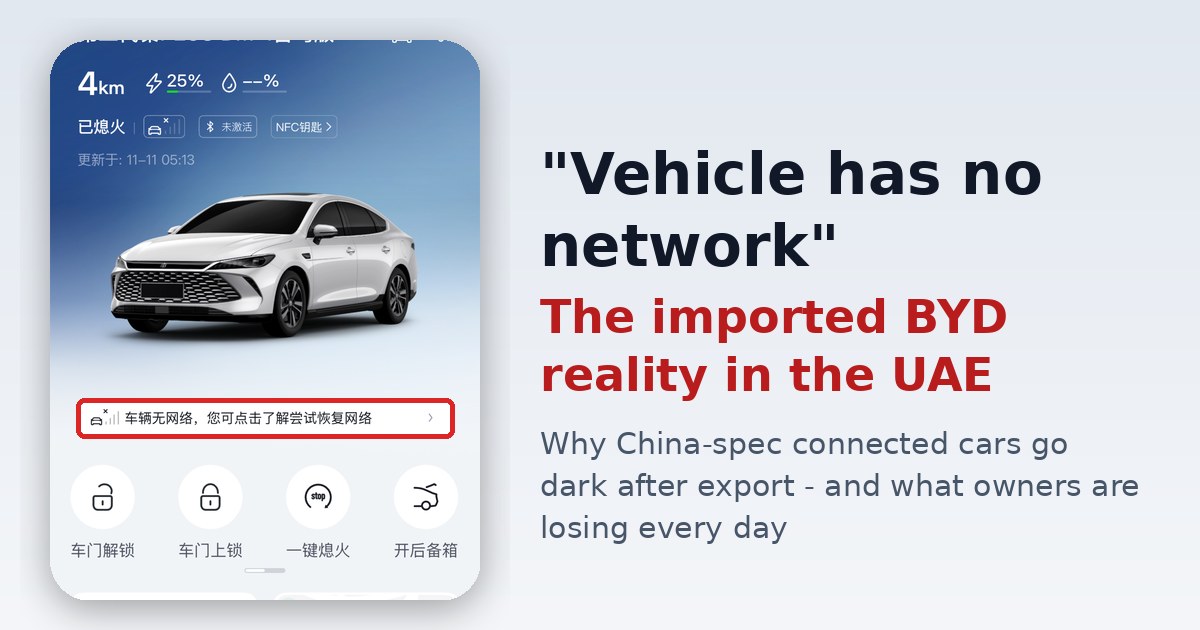
Direct answer: an offline message on an imported vehicle does not by itself prove that the phone, embedded SIM, account region or VIN is the cause. BYD UAE says app services vary by model and vehicle features. BYD’s official European FAQ tells owners to contact their dealer and follow the standard cloud-service activation process; that demonstrates a dealer/account dependency in another region, not a UAE grey-import policy. Autosupp has not found a current BYD UAE source confirming that every China-market VIN can—or cannot—be activated here.
What the official UAE material confirms
- BYD UAE describes the official app as providing vehicle-status and remote-control functions, while stating that availability depends on the model and features.
- BYD’s official European FAQ says owners waiting for activation should contact their dealer and follow the standard cloud-service activation process. This is evidence of the normal dealer/cloud workflow in Europe, not proof of UAE eligibility for an imported VIN.
- BYD UAE Customer Care publishes the number 80003110174. Ask for a VIN-specific answer rather than assuming that an answer for an official UAE vehicle also applies to a parallel import.
These sources establish official app functions and show that vehicle/account provisioning can be part of activation. They do not establish one universal failure mode or one universal remedy for every grey-import BYD, Denza or Fang Cheng Bao vehicle in the UAE.
Use this diagnostic order
- Capture the evidence before changing anything: exact error text, date and time, app name and version, phone OS, vehicle software version and the last time the vehicle was online.
- Confirm the vehicle identity: exact model, model year, VIN market, country of first sale and whether the seller represented it as China-spec or GCC-spec.
- Check the account inputs: the email supplied to the seller or authorised dealer, the app country/region and whether the VIN may already be bound to another account.
- Request two written answers: one from the seller/importer and one from BYD UAE. Ask whether that exact VIN is eligible for UAE cloud-service activation and what evidence or dealer action is required.
- Separate app trouble from vehicle warnings: an app connection error is not a safety diagnosis. If the vehicle shows a warning or a feature behaves abnormally, use an authorised inspection.
What not to assume
Do not assume that a VPN, a Chinese phone number, a reset or a third-party APK will restore service. Do not share an OTP, password or full VIN in a public forum. Do not alter a telematics module or account region without understanding security, privacy and warranty consequences. Autosupp has not verified a universal UAE workaround for China-market vehicles.
Why this matters in the UAE
If the app is unavailable, model-dependent remote functions such as status checks, charging information, door/window status, climate pre-conditioning or vehicle location may also be unavailable. Confirm the exact missing functions on your vehicle; do not infer them from another market or model. For a purchase decision, ask the seller to demonstrate the app binding and remote functions on the actual VIN before handover.
Our evidence boundary
Autosupp reviewed the BYD UAE app page, BYD UAE Customer Care page and BYD’s official European activation FAQ on 24 September 2026. We have not completed a VIN-by-VIN UAE activation test, and we do not have a current BYD UAE statement covering all parallel-import China-market VINs. The earlier embedded screenshot was removed because its media record did not contain source or reuse-authorisation metadata.
Share a verifiable case
If you want Autosupp to track an imported-car case, provide the model, model year, market, redacted VIN, app/version, exact error, last-online date, seller response and BYD UAE response. Never send an OTP or account password.
Frequently Asked Questions
Why does my imported BYD app say the vehicle is offline?
The message alone does not prove one universal cause. Record the exact error and timestamp, confirm the vehicle market from its VIN and documents, and ask BYD UAE or the seller to verify whether the vehicle and account were provisioned for the same market.
Will reinstalling the app or using a VPN fix it?
Not necessarily. Reinstallation can address a phone-side fault, but it cannot prove that the vehicle, VIN, account, cloud service and purchase region are correctly linked. Avoid unknown APKs and never share an OTP or account password.
Can a China-market VIN be activated in the UAE BYD app?
Autosupp has not found a current BYD UAE source that gives one answer for every China-market VIN. BYD documentation ties registration to dealer records and the purchase region, so request a VIN-specific answer from BYD UAE and keep the response.
Does an app failure affect driving, safety or warranty?
Do not infer vehicle safety, drivability or warranty status from an app message alone. Those questions require the exact model, market specification, diagnostic result and applicable warranty terms. Use an authorized service check for any vehicle warning.