

Naming guide: Leopard 5 / Bao 5 is associated with DENZA B5; Leopard 7 / Ti7 / Tai 7 refers to the same model entity in our guides; Leopard 8 / Bao 8 is associated with DENZA B8. Market, model year and trim can change specifications and accessory fitment. Match your vehicle and part before buying.
Quick answer: Most Leopard fragrance problems trace to one of five causes: the cartridge isn’t seated, it’s simply run out, the intensity is set low, residue from a previous (often aftermarket) cartridge is on the dock, or the sensor has faulted. The fixes below work through each in order — start at the top, and you’ll resolve the large majority of cases without a service visit. For how the system works end to end, see our complete Leopard car perfume guide.
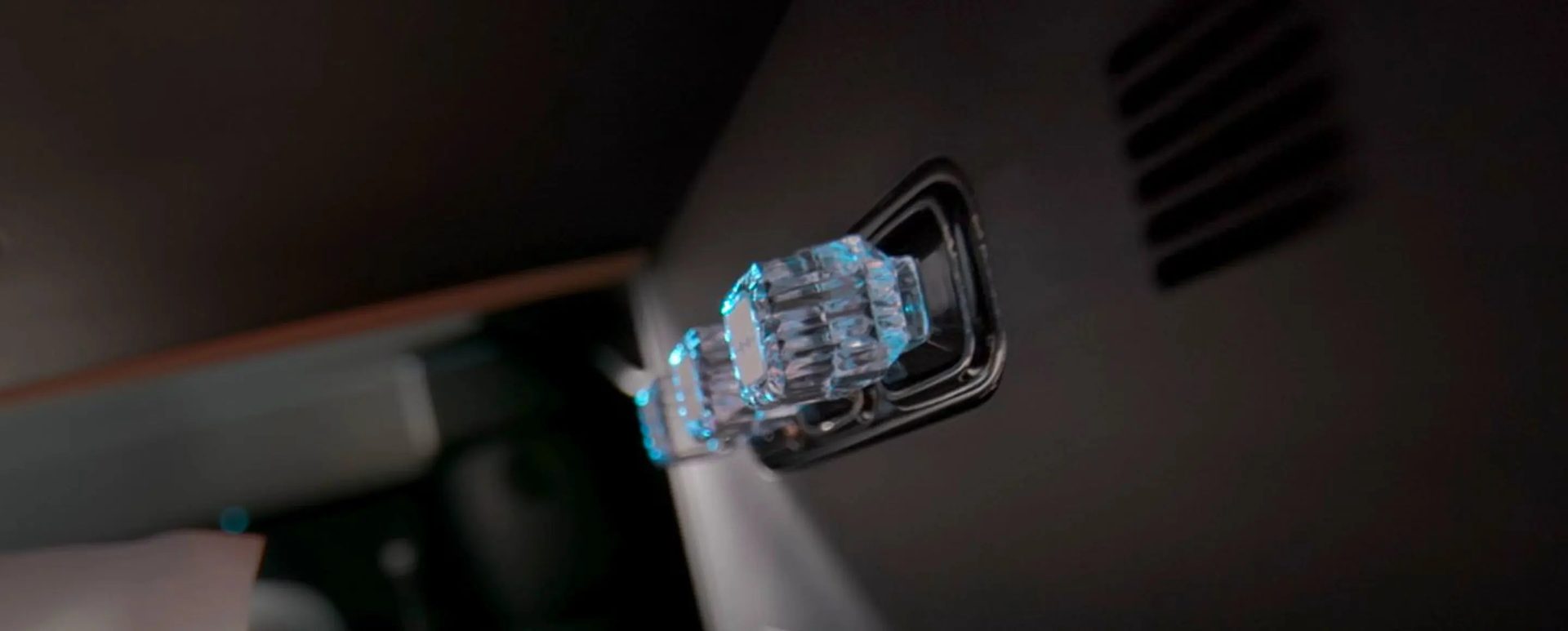
Problem 1 — No Scent At All
Work through these in order:
- Check the AC is on. Diffusion is passive and scales with fan speed — with the AC off, there’s little airflow over the cartridge. Start the car, set the AC to a normal fan speed, and wait about 30 seconds.
- Confirm the cartridge is seated. Pull it out and reseat it; it should click and not rotate. A loose cartridge won’t diffuse properly.
- Wipe the contacts. Use a dry microfibre cloth on both the cartridge base and the dock contact. Never use liquid cleaner.
- Check the AC menu detects the scent. The fragrance screen should name the installed scent. If it doesn’t after reseating, the dock sensor may need an Al-Futtaim service check.
- Consider its age. If it’s been 90+ days — especially across a UAE summer — the cartridge may simply be spent. See when to refill.
Problem 2 — Scent Is Too Weak
- Check the intensity setting. The AC menu has fragrance intensity levels; you (or a previous trip) may have set it to level 1. Raise it to level 2.
- Account for the heat. In peak UAE summer a cartridge fades faster and can read thin toward end of life — see our summer heat guide.
- Check the age. A fading opening note and a flat, single-note character mean the cartridge is near the end of its 90–120 day life.
- Rule out a counterfeit. Aftermarket cartridges often diffuse weakly and flatly from day one. Verify genuineness with our authenticity guide.
Problem 3 — The Cartridge Rotates or Feels Loose
A correctly seated genuine cartridge locks with a click and won’t spin. If yours rotates:
- Pull it out and wipe both magnetic contacts with a dry cloth.
- Reseat it firmly until it clicks.
- If it still rotates, the cartridge magnet may be defective — autosupp.com’s replacement guarantee covers this. If the dock itself was previously exposed to an aftermarket cartridge, residue may be the cause (see Problem 4).
Problem 4 — Residue on the Dock
Oily residue around the magnetic contact usually comes from a previous aftermarket or refilled cartridge. Leaving it there risks the sensor and your next genuine cartridge.
- Stop using the current cartridge. Pull it out.
- Wipe the dock with a dry microfibre cloth. If the residue lifts cleanly, seat a genuine cartridge.
- If residue persists or returns, contact Al-Futtaim service before installing a fresh cartridge — don’t install over contamination.
This is exactly why only original cartridges belong in the dock — full reasoning in Original vs Aftermarket.
Problem 5 — Fragrance Error on the AC Menu
A fragrance-system error or fault code on the touchscreen is most often a sensor reacting to contamination from a non-spec (aftermarket) cartridge, not heat or a hardware fault. Remove the cartridge, wipe the dock dry, and if the error persists, book an Al-Futtaim service check. Heat alone — even a 70°C summer cabin — doesn’t trigger a fault; the dock and sensors are rated for the cabin’s full operating range.
When to See Al-Futtaim Service
Most issues resolve with reseating and a dry wipe. Visit Al-Futtaim Electric Mobility (Dubai Festival City) if: the AC menu won’t detect a known-genuine cartridge after reseating, residue keeps returning, or a fragrance error code persists after cleaning. These point to a sensor or port issue best handled by service.
Avoiding Problems in the First Place
Autosupp supplies car-fragrance products for delivery within the UAE. Check the linked product pages for current pack contents, stock and price. This guide does not establish exclusive manufacturer authorization or certification for a product batch.
Frequently Asked Questions
Q: My Leopard fragrance isn’t working — what’s the first thing to check? A: Make sure the AC is on at a normal fan speed (diffusion is passive and airflow-driven), then reseat the cartridge so it clicks. Those two steps resolve most “no scent” cases.
Q: Why is my Leopard perfume so weak? A: Usually the intensity is on level 1, the cartridge is near the end of its 90–120 day life, or it’s an aftermarket cartridge that diffuses poorly. Raise the intensity, check the age, and verify it’s genuine.
Q: My cartridge spins in the slot — is it broken? A: It’s not seated. Wipe both magnetic contacts with a dry cloth and reseat until it clicks. If it still rotates, the cartridge magnet may be defective and is covered by the replacement guarantee.
Q: There’s an error on the fragrance screen. Is it the heat? A: Almost never heat — the dock is rated for the full cabin temperature range. A fragrance error is usually the sensor reacting to residue from a non-spec aftermarket cartridge. Remove it, wipe the dock dry, and service it if the error persists.
Q: Can I use water or cleaner to clean the dock? A: No — only a dry microfibre cloth. Liquids can damage the magnetic contact and sensor.
Q: When should I take it to Al-Futtaim service? A: If the AC menu won’t detect a genuine cartridge after reseating, residue keeps returning, or an error code persists after a dry wipe.
The Bottom Line
Five causes, five fixes: seat it, replace a spent one, raise the intensity, clear residue, and service a true sensor fault. Most problems are solved in under a minute with a reseat and a dry wipe — and avoided entirely by running genuine cartridges. Reorder genuine cartridges or start with the Discovery Gift Set. free UAE shipping on orders of AED 149 or more, replacement guarantee on every cartridge.
Series: Leopard Owner Guides